The other day, one of our customers was switching over to 64-bit development machines, and encountered the following issue:
System.BadImageFormatException:
Could not load file or assembly ‘(assembly name)’ or one of its dependencies. An attempt was made to load a program with an incorrect format.
The likely reason is that you (or in this instance, our customer) are trying to load a 32-bit assembly into a 64-bit application. This can happen when you have the Any CPU platform selected.
Solution:
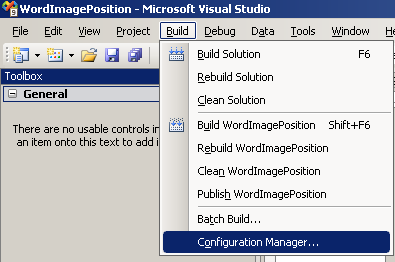
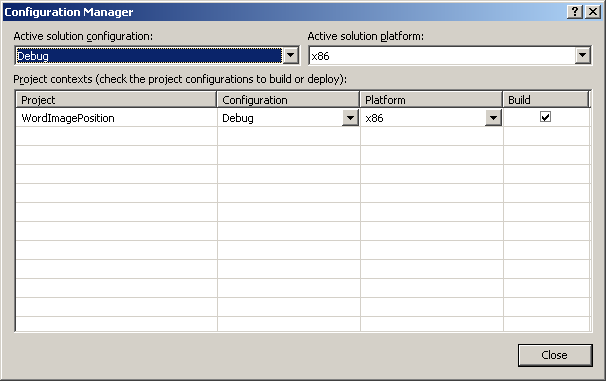
If your scenario sounds like the one I described, try setting your application to run in x86 mode. In Visual Studio this can be done by going to Build -> Configuration Manager…
…and setting the Platform to be x86.
Share the post "System.BadImageFormatException on a 64-bit Machine"
 Follow